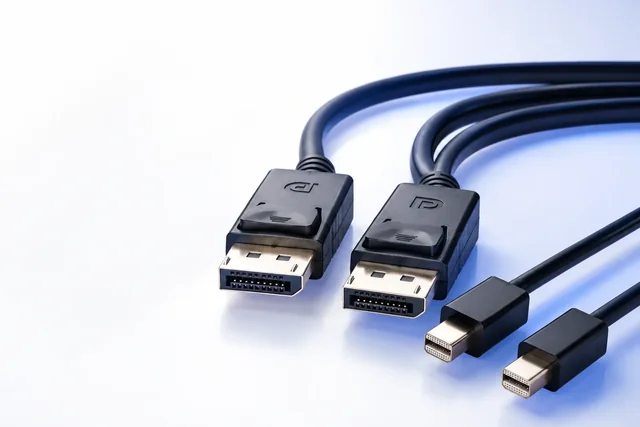
DP40 and DP80 describe VESA-certified DisplayPort cable performance tiers, not universal promises attached to every cable labeled “DisplayPort 2.1.” DP40 was introduced for four-lane UHBR10 operation, up to 40 Gbit/s aggregate raw link rate. DP80 supports four-lane UHBR20, up to 80 Gbit/s. The current buying picture also includes DP54, which VESA introduced in DisplayPort 2.1a to replace the DP40 tier and support UHBR10 plus UHBR13.5, up to 54 Gbit/s. VESA states that previously certified DP40 cables were verified to meet DP54 performance. A buyer should therefore define the required endpoint link rate first, then verify the exact cable model, connector form and length in VESA’s certified product records.
The practical conclusion is not “always buy DP80.” A DP80 cable can be an appropriate choice when both endpoints require UHBR20 and the exact construction/length is certified for that tier. DP54 may fit a UHBR13.5 route. An existing certified DP40 cable may remain valid in the DP54 context described by VESA. None of these labels makes a source or display support a higher rate than its hardware implements, and a DisplayPort 2.1b device is not automatically an UHBR20 device.
The tier comparison now needs three columns
Although buyers still search for “DP40 vs DP80,” a current approval should include DP54.
| Evidence label | Link-rate scope described by VESA | Current procurement role | What it does not prove |
|---|---|---|---|
| DP40 certified | Four-lane UHBR10, up to 40 Gbit/s aggregate | Existing certified cables remain relevant; VESA states previously certified DP40 cables were validated for DP54 performance | Does not by itself prove a named source/display supports UHBR13.5 or any target video mode |
| DP54 certified | Four-lane UHBR10 and UHBR13.5, up to 54 Gbit/s aggregate | Current tier introduced with DisplayPort 2.1a to replace DP40; useful when endpoints implement up to UHBR13.5 | Does not mean UHBR20/DP80; does not certify an unlisted model or length |
| DP80 certified | Four-lane UHBR20, up to 80 Gbit/s aggregate; also covers lower UHBR rates within its stated program scope | Appropriate candidate for an actual UHBR20 source-to-display requirement | Does not upgrade endpoints or prove every resolution, DSC, HDR or multi-display topology |
| DP80LL | VESA’s low-loss active-cable specification for UHBR20 over longer active constructions, described by VESA for up to 3 m | Separate active-cable route where exact certified products and power/construction are verified | Should not be inferred from ordinary DP80 wording; active direction/power/length evidence remains model-specific |
The safest purchasing wording is temporal and specific: “VESA-certified DP54 cable for the following exact connector configuration and lengths” or “VESA-certified DP80 cable for four-lane UHBR20 between the named endpoints.” Avoid asking generically for “DP 2.1 cable,” because that phrase does not state a tier and can be used inconsistently in commerce.
Certification is an identity record, not a decorative logo
VESA’s logo program ties logo use to compliance testing and maintains a certified products database. A buyer should use the database as a primary verification point, but should still match the listing to the supplied item.
Record at least:
- certification tier shown in the official record;
- legal manufacturer or listed company;
- product/model name exactly as listed;
- family models covered by the record, if the database entry provides them;
- connector configuration—full-size DisplayPort, Mini DisplayPort, USB-C or another covered form;
- length or set of lengths covered;
- passive or active construction where stated;
- official database URL or captured record date;
- label/artwork on the sample and package;
- supplier part number and buyer part number mapping.
A package can use “40G,” “54G,” “80G,” “8K,” “16K,” “DP 2.1” or similar marketing. None of those strings is a substitute for an exact certified-product match. Conversely, absence of a marketing resolution does not negate a valid database record. Certification evidence and the buyer’s operating requirement should be reviewed separately.
Do not copy a certification held by one model, brand or length onto another. A cable family may include multiple lengths, connector variants or constructions, and the official entry determines what is listed. If the private-label item uses a different part number, retain the controlled mapping that connects it to the certified construction and confirm what trademark/logo use is authorized. This article is not legal advice on VESA trademark licensing; the responsible organization must confirm current program rules.
Do not approve the cable from a resolution badge
Resolution badges compress too many variables. Consider two routes both described as “8K.” One could use a lower refresh rate and color depth without compression; another might depend on DSC; a third could use a different raster sometimes called 8K. The badge does not tell the buyer which link rate trained, whether the system used four lanes, whether the source silently reduced color or whether the display accepted the requested HDR mode.
An approval record should specify:
- exact pixel dimensions;
- refresh rate;
- color depth and chroma format where required;
- HDR requirement;
- whether DSC is permitted, required or prohibited by the project;
- number of displays and whether MST is used;
- connector/adapter path;
- source and display model, port and firmware;
- cable model, length and sample revision;
- observed trained link rate where suitable tools/documentation make this available;
- recovery behavior after restart, sleep and reconnect.
The cable tier is one input to that record. It is not the record itself.
DP40 in a 2026 purchase specification
DP40 is not simply “invalid” because DP54 replaced it as the current certification tier. VESA has stated that existing DP40-certified cables were subjected to its testing and validated for DP54 performance. That makes a genuine certified DP40 product different from a new, unverified cable that merely prints “DP40” or “40 Gbps.”
For an existing approved cable, capture its official listing and confirm that the supplied model/length matches. Then compare its recognized performance scope with the actual endpoints. If the route requires UHBR13.5, the VESA statement about validated DP40 cables is relevant, but the buyer should still confirm the exact listing and endpoints rather than rewriting a warehouse label by assumption.
For a new sourcing program, use current terminology in the RFQ. Ask for DP54 where UHBR13.5 is required and DP80 where UHBR20 is required. If a supplier proposes an existing DP40-certified item, require the official listing and an explanation of how the exact supplied model maps to the current DP54 context. This preserves historical inventory without making old wording the default for new documentation.
DP80 should follow a UHBR20 requirement
DP80 is justified by a route that actually needs and supports four-lane UHBR20, or by a deliberate standardization decision that the buyer has documented. It should not be selected solely because “higher is safer.” Higher-tier certified cables may have different cost, length, diameter, flexibility or active-construction implications. Those physical and commercial differences matter to an installed or high-volume project.
Ask the source manufacturer whether the exact output supports UHBR20. Ask the display manufacturer the same question for the selected input. Check whether an intermediary, dock, extender or adapter reduces the route to another rate. If the path uses USB-C, confirm the allocated lanes and transport architecture. If the path uses an active cable, confirm direction and power. A DP80 cable between HBR3 endpoints will operate only within the mutual endpoint capability; it cannot force UHBR20.
The route must also be mechanically feasible. The certified performance of a sample does not authorize installation below its minimum bend radius, beyond its pulling limits or through a connector opening too small for the head. Those product-specific limits belong in the submittal and installation method.
Connector form and construction are part of the claim
VESA’s DisplayPort programs cover more than one physical form in defined contexts, including full-size DisplayPort, Mini DisplayPort and USB-C implementations. A buyer should not transfer a full-size DisplayPort cable result to a USB-C cable or an active optical assembly. They may share a transport purpose while having different construction, power and compliance routes.
For each quoted variant, freeze:
- connector at end A and end B;
- source/display direction if active;
- length;
- cable outer diameter and applicable bend limits;
- latching/retention arrangement;
- active, passive, copper, hybrid or optical construction as documented;
- auxiliary power or VCONN dependency where applicable;
- certification entry and family mapping;
- jacket/installation rating if the project requires it, supported by separate evidence.
Do not infer a plenum, LSZH, flame, environmental or regulatory rating from DP40/DP54/DP80. Those performance tiers concern DisplayPort cable behavior under the VESA program, not every installation or market requirement.
A buyer-side certification verification worksheet
Use three evidence layers.
Layer A: Endpoint requirement
Record the source and display ports, maximum documented link rates, target mode and feature dependencies. If one endpoint supports only UHBR10, explain why a higher tier is being considered rather than allowing “DP80” to become an unstated requirement.
Layer B: Official cable identity
Open the VESA certified product database and capture the relevant entry. Match company, model, family, connector and length. Record the date because databases and program terminology evolve. If no exact match is found, mark the claim unverified; do not substitute a screenshot supplied without a traceable official entry.
Layer C: Project sample result
Test the exact sample in the intended route. Record active mode, link behavior, state transitions and any fallback. Certification supports interoperability confidence within its scope, but the project still needs to validate endpoint and deployment requirements. A passing project test is not permission to remove the official certification identity from the approval file.
The three layers answer different questions:
- What must the system do?
- What was the exact cable certified as?
- What did the controlled sample do in this route?
Approval should not collapse them into a single “pass” cell.
Hypothetical approval decisions
These examples are hypothetical and do not describe CoreCavo products, certifications or customer projects.
Scenario 1: Two UHBR13.5 workstations and one monitor family
Endpoint documentation identifies UHBR13.5. The buyer specifies current DP54 certification for the required full-size DP-to-DP lengths. A supplier proposes an older DP40-certified family. The buyer checks the exact database entries, confirms that the models/lengths are covered, records VESA’s DP40-to-DP54 validation statement, and then performs the operating-mode acceptance matrix. The result is an evidence-based disposition, not a rejection based solely on the older label.
Scenario 2: UHBR20 graphics validation bench
Both source and display explicitly support UHBR20. The buyer requires DP80 and checks each length separately in the database. A cable labeled “80G” but absent from the applicable official listing is not accepted as VESA-certified. It could only be considered under a different, explicitly unverified test route if the project owner permits that—and it must not carry a certification claim.
Scenario 3: A 3 m active link
The project investigates DP80LL rather than assuming a passive DP80 cable has the same approved length. Direction, power, connector dimensions and the exact certified product entry are included in the review. A pre-certified demonstration or press announcement is not treated as evidence that an unnamed shipped product is certified.
Build the sample-approval dossier
The approval package should remain understandable after the buyer, salesperson or engineer changes roles. Include:
- controlled requirement and operating-point matrix;
- endpoint make/model/port/revision evidence;
- applicable VESA tier and why it was selected;
- official product database record captured with date;
- supplier-to-certified-model mapping;
- exact lengths, connectors and constructions submitted;
- sample photographs and labels;
- project test equipment/setup and actual results;
- failures, fallback modes and deviations;
- approved packaging/logo artwork only after authorization is confirmed;
- production part and revision release;
- notification/reapproval triggers for conductor, connector, active electronics, tooling, length, factory route or label changes.
If the project uses a retained golden sample, pair it with these records. The physical cable cannot reveal which official database entry was checked or which link rate trained during approval. The cable sample approval guide provides the wider NPI framework; this article supplies the DisplayPort-specific evidence layer.
Claims that should stop an approval
Pause and request evidence when a quotation says:
- “DisplayPort 2.1 automatically means DP80.”
- “8K proves the cable is 80 Gbit/s.”
- “All lengths in this family use the same certificate” without an official match.
- “DP40 is obsolete and cannot be used” without addressing VESA’s DP54 validation statement.
- “DP80 cable makes any device run at UHBR20.”
- “Certification also proves plenum, regulatory or environmental compliance.”
- “The logo artwork is enough; no database record is needed.”
- “A passing display image proves the link rate and every required mode.”
These statements mix different evidence layers. They can be corrected by returning to endpoint requirement, official product identity and project result.
Request an evidence-specific DisplayPort review
Start with the DisplayPort connectivity category only to identify a possible family. If the route converts DisplayPort to HDMI, use the separate active/passive and direction guide; DP40/DP54/DP80 cable tiers do not answer that conversion question. Use the test and compliance documents guide when defining how any supplied report or listing must match the exact order.
For a project review through the CoreCavo RFQ page, provide the source/display models and ports, required link rate, exact mode, connector configuration, lengths, environment, VESA evidence requirement, quantity and sample matrix. CoreCavo must verify what can be proposed for the exact project. This article does not state that any catalog item is DP40, DP54, DP80, DP80LL, VESA certified or proven at a target operating mode.
Sources
| Source URL | Organization | Accessed | Scope used in this guide |
|---|---|---|---|
| https://www.displayport.org/faq/ | Video Electronics Standards Association (VESA) / DisplayPort | 2026-08-12 | Current DisplayPort 2.1b, UHBR link-rate, device-version and DP80LL context; establishes that 2.1b does not require every device to support UHBR |
| https://www.displayport.org/pr/vesa-releases-displayport-2-1-specification/ | VESA | 2026-08-12 | DP40/UHBR10 and DP80/UHBR20 definitions and DisplayPort 2.1 cable certification context |
| https://vesa.org/press/vesa-announces-displayport-updates-and-extensions-for-gaming-and-automotive-market-at-ces/ | VESA | 2026-08-12 | DisplayPort 2.1a introduction of DP54, replacement of DP40 and validation of existing DP40-certified cables to DP54 performance |
| https://vesa.org/press/vesa-to-update-displayport-2-1-with-new-active-cable-specification-for-up-to-3x-longer-dp80-cables/ | VESA | 2026-08-12 | DP80LL active-cable announcement and up-to-3 m scope; recheck current certified-product availability before publication |
| https://www.displayport.org/products-database/ | VESA / DisplayPort | 2026-08-12 | Official certified-product verification route; exact entry matching is required |
| https://www.displayport.org/the-new-dp-logo-program/ | VESA / DisplayPort | 2026-08-12 | Official logo-certification and product-list policy context; not a substitute for legal/trademark review |
| https://www.displayport.org/product-category/dp40-certified-cables/ | VESA / DisplayPort | 2026-08-12 | Official archive/listing context for DP40-certified products; each model entry must be checked individually |
| https://edc.intel.com/content/www/us/en/design/products/platforms/details/meteor-lake-u-p/core-ultra-processor-datasheet-volume-1-of-2/003/displayport/ | Intel Corporation | 2026-08-12 | Model-family implementation example showing explicit UHBR20 support and explicit UHBR13.5 exclusion; used only to demonstrate the need for endpoint-specific link-rate evidence |