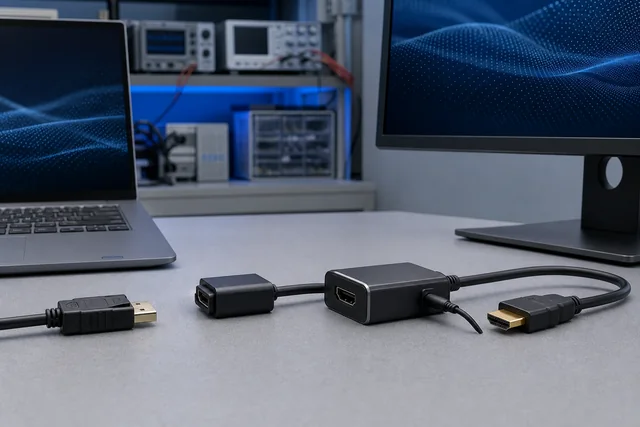
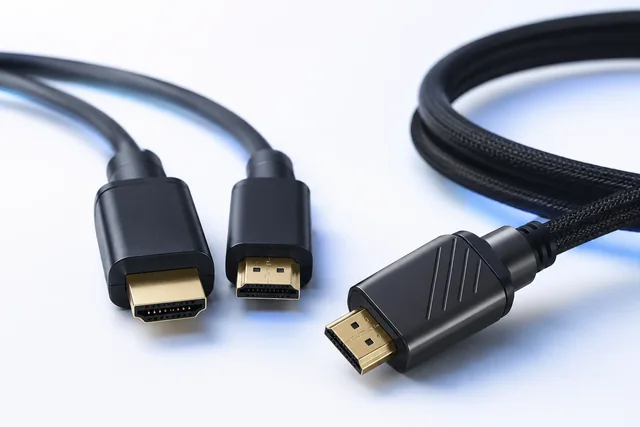
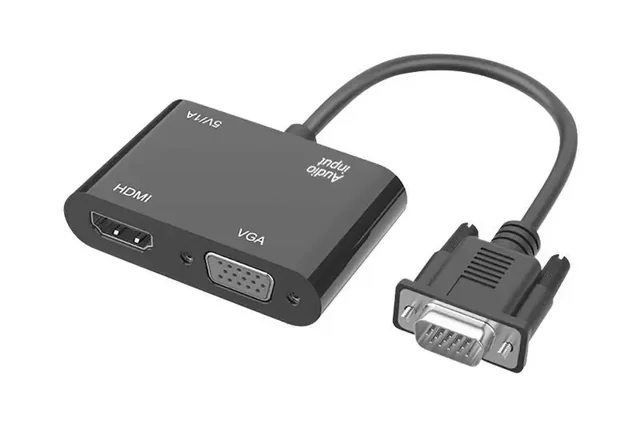
A VGA-to-HDMI converter and an HDMI-to-VGA converter solve opposite problems. They should be treated as different electronic products, not as the same cable turned around. Use VGA-to-HDMI when the source outputs analog VGA and the display accepts digital HDMI. Use HDMI-to-VGA when the source outputs digital HDMI and the display accepts analog VGA. In both routes, conversion electronics are required. The power and audio arrangements may differ, and neither direction should be assumed reversible unless the exact product documentation explicitly says so.
That distinction should be written before a buyer compares housings, cable lengths or packaging. A purchase description such as “HDMI VGA adapter” is incomplete because it names two connectors without assigning them roles. A controlled requirement should read like a signal path:
named source and output → named converter input → named converter output → named display and input
If audio is required, add its origin and destination as a separate line. If the converter uses USB, state whether the USB connection supplies power only or also carries data. This simple route card prevents a frequent class of failures in which every plug fits but the converter was designed for the reverse signal flow.
The two directions are not mirror images
VGA and HDMI differ at the signal level. VGA is an analog video interface. HDMI is a digital audio/video interface with digital capability exchange and, for protected content, an end-to-end content-protection path. Changing between them requires electronics that receive one type of signal, interpret or sample it, and create the other. A passive gender changer cannot perform that function.
The buyer should therefore begin with roles rather than connector gender. “Male” and “female” describe the physical connector. They do not tell the converter which side is the input, which side is the output, or whether a connector supplies power. A short pigtail with an HDMI plug and VGA socket could be designed for HDMI output to VGA input; a visually similar unit could be intended for a different route. The product title, drawing, labels and manual must remove that ambiguity.
| Required route | Converter input | Converter output | What happens to audio? | Typical power question |
|---|---|---|---|---|
| VGA source → HDMI display | Analog VGA; sometimes separate analog audio | Digital HDMI | Audio must be injected from a separate source if the converter supports it | Does the converter require USB or another supply to encode video and audio? |
| HDMI source → VGA display | Digital HDMI with audio present in the HDMI stream | Analog VGA; sometimes a separate analog audio jack | VGA cannot carry audio, so audio needs a separate output if required | Can the converter draw sufficient power from HDMI, or is auxiliary USB power required? |
The table describes architectures, not a guarantee about every unit. Some products omit audio entirely. Some accept a 3.5 mm analog input in the VGA-to-HDMI direction. Some expose a 3.5 mm output in the HDMI-to-VGA direction. Some rely on power available at an interface; others require an auxiliary lead. The approved drawing and manual for the exact item must govern.
VGA source to HDMI display: three conversions to specify
In a VGA-to-HDMI route, the converter must turn analog image information into a digital output. That is only the first requirement. The buyer also needs to define timing, audio and power.
First, record the source’s actual VGA mode. A source may offer 1024 × 768 at 60 Hz, 1280 × 1024 at 60 Hz, 1920 × 1080 at 60 Hz or another timing. A statement that a converter “supports 1080p” does not prove that it accepts every legacy VGA timing or that the source will select the desired mode. The test record should capture the input timing reported by the source and the active output mode reported by the HDMI display where that information is available.
Second, decide whether sound is required. VGA carries video, not an audio program. If an HDMI display must reproduce sound, the converter needs a documented audio input—commonly a separate analog connector—and the project needs a cable from the source’s audio output. A converter with no audio input cannot invent an audio channel from VGA. Conversely, a device with an audio socket still needs its supported input level, connector wiring and output behavior confirmed.
Third, define power. Analog-to-digital processing consumes power. A USB lead on the converter may be present only to energize its electronics. Plugging that lead into a computer does not mean the converter is a USB video device. The requirement should identify the approved USB power source, voltage/current expectations from the product manual, connector type, startup order and whether the system must recover after power interruption.
For fleet deployments, the buyer should also note whether all VGA sources expose the same mode and audio output. A converter approved with one desktop’s graphics adapter may not represent an older controller, medical display output, industrial PC or embedded appliance. The acceptance set should reflect the equipment fleet rather than the easiest bench source.
HDMI source to VGA display: digital input, analog endpoint
In the reverse route, the converter receives a digital HDMI signal and generates analog VGA. The first practical limit is the converter’s accepted HDMI input mode and its generated VGA output timing. If the source is configured for a mode outside the converter or display limit, the result may be a black screen, an “out of range” message or a fallback mode.
Audio now travels in the opposite way. HDMI can carry audio, but VGA cannot. If the system requires speakers, an amplifier or recording path, the converter must provide a documented audio output, or audio must be routed separately from the source. The buyer should state the required connector, channel format and destination. “Audio supported” is not enough when the deployment needs a particular output level, stereo wiring or simultaneous sound from multiple endpoints.
Content protection is a separate boundary. Some HDMI sources or applications require HDCP for protected video. Converting protected digital content to an analog output is not something a generic converter description can promise. The source, content policy, converter and permitted output behavior must be verified for the intended use. A successful desktop test with unprotected material does not establish that protected streaming, playback or a managed corporate source will work.
Power must again be explicit. Some small converters operate from power available at the HDMI connection under their specified conditions; some include auxiliary USB power for reliability or for sources with limited available current. The buyer should not delete the auxiliary lead from a private-label package simply because one sample worked without it. Test the named source fleet, worst operating mode, cold start and recovery behavior, then freeze the approved configuration.
Build a one-page route card before requesting samples
A route card turns a vague accessory request into a testable product definition. It can be short, but it should include the following fields:
- Source identity: manufacturer, model, hardware revision and operating system or firmware where relevant.
- Source output: VGA or HDMI, connector gender, configured resolution and refresh rate.
- Signal direction: written in words, not just “VGA-HDMI.”
- Converter input and output: connector types, labels and active-conversion statement from the exact documentation.
- Display identity: manufacturer, model, selected input and supported timing.
- Audio path: source, connector, converter input/output and final audio device, or “audio not required.”
- Power path: approved source, cable, connector, startup sequence and recovery expectation.
- Intermediaries: switches, splitters, capture devices, extension cables or KVM equipment.
- Physical constraints: enclosure clearance, pigtail strain, screw retention, cable length and service access.
- Acceptance evidence: modes, tests, photographs, logs and sample revision to retain.
The card should travel with the RFQ and sample. If the product arrives with the input/output labels reversed from the approved drawing, or with a different power lead, that is a configuration change to resolve—not an invitation to adapt the test informally.
Power questions that purchasing specifications often miss
Auxiliary power is easy to under-specify because a USB plug looks familiar. Ask four separate questions.
What is powered? Determine whether the lead powers only the converter, an attached active circuit, or another function. Do not describe it as USB data unless the manual says it is.
Where does power come from? A laptop port, display service port, wall adapter and managed USB power supply can behave differently during boot, sleep and shutdown. The approved power source should be part of the test topology.
When is power available? If the converter receives power after the video source initializes, the devices may negotiate differently from a cold start with everything powered together. Test the sequences the user will actually encounter.
What happens after interruption? Remove and restore converter power, restart the source, switch the display input and resume from sleep. Record whether the link recovers automatically or needs a reconnect. A product can pass a steady-state picture test and still fail the deployment’s recovery requirement.
Do not infer current draw or thermal behavior from a visually similar converter. If the project needs values, obtain the exact model specification and verify them with an appropriate method. This article does not assign power limits to CoreCavo products.
Audio is a route, not a checkbox
The safest audio requirement is another arrow diagram. For a VGA source it may read:
source analog audio output → converter audio input → HDMI digital output → display speakers
For an HDMI source it may read:
HDMI embedded audio → converter → separate analog audio output → powered speakers
Then define the expected result. Is stereo sufficient? Must the output follow the source volume? Is the display expected to play sound while the separate output is also active? Does the source expose analog audio at all? Are speakers built into the VGA display? Answers vary by equipment and converter design.
During sample approval, use recognizable left/right test material and confirm channel assignment. Check for noise, silence after wake, level differences and behavior when video modes change. Do not use the presence of a 3.5 mm socket as evidence that every audio format or destination is supported.
A controlled sample-acceptance sequence
The following sequence is designed to expose configuration mistakes before a bulk order.
1. Verify identity without connecting anything
Compare the sample, packaging, label and drawing. Confirm the direction in words. Identify every input, output and power/audio connector. Record the sample revision and any chipset or firmware identifier the supplier controls and is permitted to disclose.
2. Start with one known source and one known display
Use the named endpoint models and a short, known-good cable where a separate cable is required. Avoid a switch, extender or dock for the first test. This establishes whether the basic route works without hiding the converter inside a larger chain.
3. Test required operating modes
Test every required resolution and refresh rate, not only the maximum marketing label. Record the active mode and image stability. Include text and fine graphical patterns that expose scaling, cropping, color or analog noise more clearly than a static logo.
4. Exercise power states
Test cold boot, warm restart, display input switching, cable reconnect, source sleep/wake and converter power removal/restoration. Record recovery time and any manual intervention.
5. Verify audio separately
Use the approved audio source and destination. Record whether sound is present, correctly assigned and stable before and after a mode or power change.
6. Expand to the real fleet
Repeat the relevant cases on representative source and display models. Include the oldest or most constrained endpoint if it remains in scope. A single favorable pair cannot approve a heterogeneous deployment.
7. Add the real intermediaries
Only after the direct path works should the team add KVM equipment, distribution devices, long cables or capture hardware one at a time. If failure appears, the last controlled change becomes the first investigation point.
Three hypothetical procurement cases
The following examples are hypothetical and do not describe CoreCavo tests, customers or guaranteed products.
Case A: A legacy control PC must feed a new conference display
The PC has VGA output and a separate headphone socket; the display accepts HDMI. The correct candidate is a VGA-input-to-HDMI-output converter with an appropriate analog audio input. The buyer includes USB power from an approved wall adapter because the PC’s USB ports turn off during sleep. Acceptance covers the PC’s two required VGA modes, audio, cold start and wake. An HDMI-to-VGA pigtail would be the wrong direction even though its connectors appear useful.
Case B: A media player must feed an installed VGA projector
The source has HDMI output; the projector has VGA input and no speakers. The candidate is HDMI-input-to-VGA-output. Audio extraction is not required, but the team must confirm the source does not require a protected-output path for the intended material. Testing includes the projector’s supported timing and auxiliary USB power because the source’s interface power behavior is unknown.
Case C: A buyer wants one reversible private-label adapter
The requirement says the adapter should work in both directions. That is not accepted as a packaging request. The buyer asks for an explicit electronic architecture and independent input/output specifications for both routes. If the proposed item documents only one direction, the project is split into two controlled products rather than labeling one one-way converter as bidirectional.
Diagnose failures by changing one variable
When a sample fails, preserve the evidence and alter one variable at a time.
| Symptom | First checks | What not to conclude |
|---|---|---|
| No image from first connection | Direction labels, source output, display input, auxiliary power, connector seating | Do not assume the converter is defective until the route is correct |
| Display says “out of range” | Source timing, converter input/output modes, display timing | Do not treat a headline maximum resolution as support for every timing |
| Image appears only after reconnect | Startup order, power availability, display input selection and negotiation | Do not approve based only on the recovered steady state |
| Image works but audio is absent | Whether audio is separately injected/extracted, source audio selection, converter audio feature | Do not assume VGA carries audio |
| Desktop works but protected playback fails | Source/content policy and end-to-end protected-content support | Do not call the cable or VGA display “HDCP compliant” |
| Fine text is soft or unstable | VGA source quality, timing, analog cable, grounding, converter sampling and display scaling | Do not promise digital-source sharpness from every analog route |
Substitution should use controlled references. If replacing the converter, use a known-good device designed for the same direction. If replacing a cable, keep the endpoints and mode unchanged. Record both the failed and successful configuration so the conclusion can be reviewed.
What belongs in the purchase and approval record
A released converter specification should contain more than connector photographs. Include:
- input and output roles printed in words;
- connector type and gender on each side;
- accepted input modes and generated output modes under stated conditions;
- whether scaling is present and how unsupported modes behave;
- audio input or output type and verified use case;
- required auxiliary power and included lead or supply;
- source/display models used for buyer approval;
- cold-start, reconnect and sleep/wake results;
- physical dimensions, strain relief and retention requirements;
- labeling, packaging and traceability revision;
- permitted substitutions and change-notification triggers;
- evidence limitations, including protected-content boundaries.
The physical golden sample should be paired with this record. Its exterior cannot reveal signal direction logic, firmware, supported timings or the reason a USB lead is present.
Prepare a direction-specific project request
Use the DVI and VGA connectivity category and HDMI adapters and converters category only as starting points for identifying a relevant product family. If your problem involves DisplayPort rather than VGA, follow the separate DisplayPort-to-HDMI direction guide; its DP++ rules do not apply to VGA conversion.
For a project review, send the exact source and display models, input/output direction, required video modes, audio route, power source, intermediaries, quantity, labeling and sample tests through the CoreCavo RFQ page. A submission starts a feasibility review. It does not confirm compatibility, certification, availability, MOQ, schedule or a performance limit until the exact proposed model and evidence are reviewed.
Sources
| Source URL | Organization | Accessed | Scope used in this guide |
|---|---|---|---|
| https://www.dell.com/support/kbdoc/en-us/000139468/frequently-asked-questions-faqs-about-the-hdmi-port-on-a-dell-pc | Dell Technologies | 2026-08-12 | Official endpoint guidance on HDMI input/output roles, active conversion examples and the need to check exact device ports |
| https://www.dell.com/support/kbdoc/en-us/000132424/how-to-connect-a-monitor-to-a-pc | Dell Technologies | 2026-08-12 | Official monitor connection guide: DVI/VGA/HDMI/DP connector distinctions, direction-limited converters and endpoint documentation |
| https://vesa.org/featured-articles/vesa-rolls-out-displayid-version-2-0-standard-to-optimize-plug-and-play-connectivity-for-leading-edge-displays/ | Video Electronics Standards Association (VESA) | 2026-08-12 | Official context for EDID/DisplayID as display identification and capability data; not evidence for any converter model |
| https://www.hdmi.org/spec/hdmi2 | HDMI Licensing Administrator, Inc. | 2026-08-12 | Official HDMI feature and testing/certification context; used only to distinguish digital HDMI system claims from generic connector claims |
| https://www.digital-cp.com/about_dcp | Digital Content Protection LLC | 2026-08-12 | Official HDCP device/receiver/repeater definitions; used to limit protected-content claims, not to certify analog conversion |